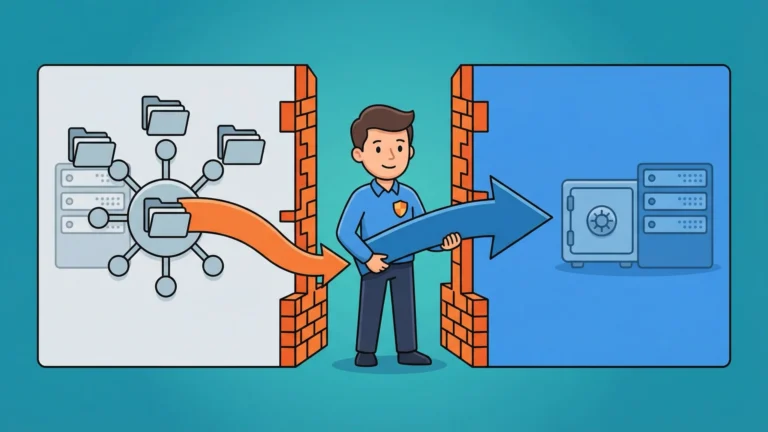


Your DMZ sends logs somewhere. You know it does—you’ve seen the disk space disappear. But where those logs actually end up, whether anyone can read them, and whether an auditor three months from now can prove what happened at 3 AM last Tuesday? That’s where things get interesting.
Log aggregation across network zones isn’t just an observability problem. It’s a security architecture challenge where every solution that makes your life easier also punches a hole through your firewall. Traditional push-based logging—where DMZ agents connect directly to your internal log server—violates the fundamental principle that DMZ systems should never initiate connections to your trusted network. Auditors notice this. Penetration testers definitely notice this.
Grafana Loki offers a way out. Combined with Azure Event Hubs as a secure buffer and Grafana Alloy as the collection agent, you can build a pull-based log pipeline that keeps your network zones separate while still centralizing every authentication failure, API call, and “unexpected null pointer” your DMZ produces. No inbound firewall rules to the internal zone. No connection strings hardcoded in config files. Just logs flowing where they need to go through Azure Private Link.
This guide walks through implementing that architecture—from the Event Hubs namespace that acts as your buffer to the Loki deployment that stores everything in Azure Blob Storage.
Prerequisites
Before you start configuring components, verify you have the necessary Azure resources and permissions in place.
You’ll need:
-
Azure subscription with permissions to create Event Hubs namespaces, storage accounts, and assign RBAC roles
-
Two Virtual Networks (VNets) representing your DMZ and Internal zones (or subnets within a single VNet with appropriate NSG rules)
-
Azure CLI installed locally with an active authenticated session
-
Managed Identity configured for your workload (AKS cluster, VM, or container instance where agents will run)
-
Helm 3 if deploying Loki to Kubernetes
Verify your Azure CLI authentication:
az account show
You should see your subscription details. If not, run az login first.
Pro Tip: Set up separate managed identities for DMZ and Internal zone workloads from the start. Trying to retrofit identity isolation after you’ve deployed everything is like trying to add seat belts to a moving car.
Understanding the Pull-Based Architecture
The core challenge: your DMZ can’t initiate connections to internal systems, but your internal systems need the logs. Traditional syslog forwarding fails here because it requires the DMZ to push directly to your internal log server—exactly what firewall rules prohibit.
The solution is a three-tier architecture:
| Zone | Component | Role | Connection Direction |
|---|---|---|---|
| DMZ | Grafana Alloy (Producer) | Scrapes local logs, pushes to Event Hubs | Outbound to Azure PaaS |
| Azure PaaS | Event Hubs (Buffer) | Stores logs temporarily, provides Kafka endpoint | N/A (managed service) |
| Internal | Grafana Alloy (Consumer) | Pulls from Event Hubs, forwards to Loki | Outbound to Azure PaaS |
| Internal | Loki | Stores logs in Azure Blob Storage | Outbound to Azure Storage |
This design ensures the Internal zone only makes outbound connections. The DMZ never touches internal infrastructure directly.
Creating the Event Hubs Buffer
Azure Event Hubs serves as your log buffer. It provides a Kafka-compatible endpoint, allowing Grafana Alloy to interact using standard Kafka protocols without Azure SDK dependencies.
Critical requirement: You need at minimum the Standard tier. The Basic tier does not support Kafka endpoints.
Create the Event Hubs namespace:
az eventhubs namespace create \
  --name logs-buffer-ns \
  --resource-group rg-logging \
  --location eastus \
  --sku Standard \
  --capacity 1
The --capacity parameter sets Throughput Units. One TU supports up to 1 MB/s ingress. Standard tier allows up to 40 TUs with auto-inflate enabled.
Create an Event Hub (Kafka topic equivalent) within the namespace:
az eventhubs eventhub create \
  --name dmz-logs \
  --namespace-name logs-buffer-ns \
  --resource-group rg-logging \
  --partition-count 4 \
  --message-retention 1
Partition count determines parallelism—match this to the number of Alloy consumer instances you’ll run in the Internal zone. Message retention is in days; 1 day is sufficient for a buffer since Loki will persist logs long-term.
Retrieve the Kafka endpoint for configuration later:
az eventhubs namespace show \
  --name logs-buffer-ns \
  --resource-group rg-logging \
  --query "serviceBusEndpoint" -o tsv
You’ll see something like https://logs-buffer-ns.servicebus.windows.net:443/. For Kafka connections, use port 9093: logs-buffer-ns.servicebus.windows.net:9093.
Securing Event Hubs with Private Link
Right now, your Event Hubs namespace is exposed to the public internet. Any client with credentials can connect. Azure Private Link restricts access to traffic originating from within your VNets.
Create a private endpoint in your DMZ VNet:
az network private-endpoint create \
  --name pe-eventhubs-dmz \
  --resource-group rg-logging \
  --vnet-name vnet-dmz \
  --subnet snet-dmz-private \
  --private-connection-resource-id $(az eventhubs namespace show --name logs-buffer-ns --resource-group rg-logging --query id -o tsv) \
  --group-id namespace \
  --connection-name dmz-to-eventhubs
Create a second private endpoint in your Internal VNet:
az network private-endpoint create \
  --name pe-eventhubs-internal \
  --resource-group rg-logging \
  --vnet-name vnet-internal \
  --subnet snet-internal-private \
  --private-connection-resource-id $(az eventhubs namespace show --name logs-buffer-ns --resource-group rg-logging --query id -o tsv) \
  --group-id namespace \
  --connection-name internal-to-eventhubs
Both zones can now reach Event Hubs via private IP addresses within their respective VNets. Configure your Event Hubs firewall to deny all public traffic:
az eventhubs namespace network-rule-set update \
  --namespace-name logs-buffer-ns \
  --resource-group rg-logging \
  --default-action Deny \
  --public-network Disabled
Reality Check: If you skip Private Link and leave Event Hubs publicly accessible, you’re just moving your security problem from the firewall to the identity layer. Both DMZ and Internal agents will authenticate via Managed Identity, but traffic crosses the public internet.
Verify the private endpoint resolved correctly from within a VM in the DMZ:
nslookup logs-buffer-ns.servicebus.windows.net
You should see a private IP address (e.g., 10.0.1.5) instead of a public Azure IP range.
Configuring Azure Blob Storage for Loki
Loki stores log data in object storage. Azure Blob Storage provides the necessary durability and cost efficiency—significantly cheaper than managed disks for cold log data.
Create a storage account:
az storage account create \
  --name stlokiprod001 \
  --resource-group rg-logging \
  --location eastus \
  --sku Standard_LRS \
  --kind StorageV2
Create two containers—one for log chunks (the actual log content) and one for the index metadata:
az storage container create \
  --name loki-chunks \
  --account-name stlokiprod001

az storage container create \
  --name loki-ruler \
  --account-name stlokiprod001
Apply a private endpoint for the storage account:
az network private-endpoint create \
  --name pe-storage-internal \
  --resource-group rg-logging \
  --vnet-name vnet-internal \
  --subnet snet-internal-private \
  --private-connection-resource-id $(az storage account show --name stlokiprod001 --resource-group rg-logging --query id -o tsv) \
  --group-id blob \
  --connection-name internal-to-storage
Disable public network access:
az storage account update \
  --name stlokiprod001 \
  --resource-group rg-logging \
  --default-action Deny \
  --public-network-access Disabled
Your Loki deployment will access storage via private IP from within the Internal zone.
Assigning Managed Identity Permissions
Managed Identities eliminate the “secret zero” problem—you don’t store connection strings or SAS tokens in configuration files.
Assign the Azure Event Hubs Data Sender role to the DMZ workload identity:
az role assignment create \
  --assignee <dmz-managed-identity-principal-id> \
  --role "Azure Event Hubs Data Sender" \
  --scope $(az eventhubs namespace show --name logs-buffer-ns --resource-group rg-logging --query id -o tsv)
Replace <dmz-managed-identity-principal-id> with the principal ID of your DMZ workload’s managed identity (retrieve via az identity show if using a User-Assigned Managed Identity).
Assign the Azure Event Hubs Data Receiver role to the Internal workload identity:
az role assignment create \
  --assignee <internal-managed-identity-principal-id> \
  --role "Azure Event Hubs Data Receiver" \
  --scope $(az eventhubs namespace show --name logs-buffer-ns --resource-group rg-logging --query id -o tsv)
Assign Storage Blob Data Contributor to the Loki workload identity:
az role assignment create \
  --assignee <loki-managed-identity-principal-id> \
  --role "Storage Blob Data Contributor" \
  --scope $(az storage account show --name stlokiprod001 --resource-group rg-logging --query id -o tsv)
Verify role assignments:
az role assignment list \
  --assignee <managed-identity-principal-id> \
  --all -o table
You should see the appropriate Event Hubs and Storage roles listed.
Deploying Loki in the Internal Zone
Loki deployment modes range from monolithic (single binary, suitable for testing) to microservices (every component independent, massive scale). For most production environments, the Simple Scalable mode provides the right balance—separate read and write paths without microservices complexity.
| Deployment Mode | Use Case | Components |
|---|---|---|
| Monolithic | Development, <100 GB/day | Single binary runs all services |
| Simple Scalable | Production, <1 TB/day | Read, Write, Backend targets |
| Microservices | Massive scale, >1 TB/day | Distributor, Ingester, Querier, etc. run separately |
Install Loki via Helm in your Internal zone AKS cluster:
helm repo add grafana https://grafana.github.io/helm-charts
helm repo update

helm install loki grafana/loki \
  --namespace logging \
  --create-namespace \
  --set deploymentMode=SimpleScalable \
  --set loki.storage.type=azure \
  --set loki.storage.azure.accountName=stlokiprod001 \
  --set loki.storage.azure.useManagedIdentity=true \
  --set loki.storage.azure.container=loki-chunks \
  --set loki.storage.azure.endpointSuffix=core.windows.net
This configuration tells Loki to authenticate to Azure Blob Storage using the AKS cluster’s managed identity (via Azure Workload Identity or Pod Identity, depending on your setup).
Verify Loki pods are running:
kubectl get pods -n logging
You should see loki-read, loki-write, and loki-backend pods in a Running state.
Check Loki logs for storage connection issues:
kubectl logs -n logging deployment/loki-write --tail=50
If you see authentication errors, verify the managed identity has the Storage Blob Data Contributor role and that the private endpoint DNS resolution is working.
Configuring Grafana Alloy in the DMZ (Producer)
Grafana Alloy replaces Promtail as the recommended log collection agent. Promtail is feature-complete but in maintenance mode—Alloy is the actively developed successor with OpenTelemetry support.
| Agent | Status | Use Case |
|---|---|---|
| Promtail | Long-Term Support (EOL March 2026) | Existing deployments, Loki-only environments |
| Grafana Alloy | Active development | New deployments, multi-signal observability (logs, metrics, traces) |
Create an Alloy configuration file for the DMZ producer:
// Scrape logs from local files
local.file_match "app_logs" {
  path_targets = [{
    __path__ = "/var/log/app/*.log",
  }]
}

loki.source.file "app_logs" {
  targets    = local.file_match.app_logs.targets
  forward_to = [loki.write.eventhubs.receiver]
}

// Write logs to Azure Event Hubs via Kafka protocol
loki.write "eventhubs" {
  endpoint {
    url = "kafka://logs-buffer-ns.servicebus.windows.net:9093/dmz-logs"

    kafka {
      brokers = ["logs-buffer-ns.servicebus.windows.net:9093"]

      authentication {
        mechanism = "oauth"
      }

      tls {
        enabled = true
      }
    }
  }
}
The mechanism = "oauth" setting tells Alloy to retrieve Azure AD tokens automatically using the Azure SDK for Go (leveraging the VM or container’s managed identity via Azure Instance Metadata Service).
Deploy Alloy as a DaemonSet in your DMZ Kubernetes cluster or as a systemd service on VMs. When the agent starts, it authenticates to Event Hubs using the managed identity assigned the Azure Event Hubs Data Sender role.
Configuring Grafana Alloy in the Internal Zone (Consumer)
The Internal zone Alloy instance pulls logs from Event Hubs and forwards them to Loki.
Create an Alloy configuration for the consumer:
// Pull logs from Azure Event Hubs
loki.source.azure_event_hubs "dmz_logs" {
  fully_qualified_namespace = "logs-buffer-ns.servicebus.windows.net:9093"
  event_hubs                = ["dmz-logs"]

  authentication {
    mechanism = "oauth"
  }

  forward_to = [loki.write.local.receiver]
}

// Forward to local Loki instance
loki.write "local" {
  endpoint {
    url = "http://loki-write.logging.svc.cluster.local:3100/loki/api/v1/push"
  }
}
The loki.source.azure_event_hubs component consumes from Event Hubs using the Kafka protocol. It automatically retrieves OAuth tokens via the managed identity assigned the Azure Event Hubs Data Receiver role.
Deploy this Alloy configuration in your Internal zone. Logs now flow: DMZ app → DMZ Alloy → Event Hubs → Internal Alloy → Loki → Azure Blob Storage.
Quick Win: Use Alloy’s built-in metrics endpoint (/metrics) to monitor lag between Event Hubs and Loki ingestion. If consumer lag grows, you’re not pulling fast enough—add more Alloy consumer instances or increase Event Hubs partitions.
Validating the Pipeline
Verify logs are flowing through each stage of the pipeline.
Check Event Hubs metrics for incoming messages:
az monitor metrics list \
  --resource $(az eventhubs namespace show --name logs-buffer-ns --resource-group rg-logging --query id -o tsv) \
  --metric IncomingMessages \
  --interval PT1M
You should see non-zero message counts if the DMZ Alloy agent is successfully pushing logs.
Query Loki directly via its API from within the Internal zone:
curl -G -s "http://loki-read.logging.svc.cluster.local:3100/loki/api/v1/query" \
  --data-urlencode 'query={job="dmz-logs"}' \
  --data-urlencode 'limit=10' | jq .
If Loki returns log entries, your pipeline is operational.
Connect Grafana to Loki as a data source and query using LogQL:
“`plain text
{job=”dmz-logs”} |= “error”
This retrieves all log lines from the DMZ containing "error"—useful for filtering authentication failures, API errors, or application exceptions.

## Network Security Group Rules

Your NSG rules enforce zone isolation. The DMZ should only make outbound connections to Event Hubs. The Internal zone should make outbound connections to both Event Hubs and Azure Blob Storage.

Example DMZ NSG rule (outbound):

| Priority | Name | Source | Destination | Port | Action |
| --- | --- | --- | --- | --- | --- |
| 100 | Allow-EventHubs-Outbound | VirtualNetwork | 10.1.0.5/32 (Event Hubs private IP) | 9093 | Allow |
| 200 | Deny-Internal-Outbound | VirtualNetwork | 10.2.0.0/16 (Internal VNet CIDR) | Any | Deny |

Example Internal NSG rule (outbound):

| Priority | Name | Source | Destination | Port | Action |
| --- | --- | --- | --- | --- | --- |
| 100 | Allow-EventHubs-Outbound | VirtualNetwork | 10.1.0.5/32 | 9093 | Allow |
| 110 | Allow-Storage-Outbound | VirtualNetwork | 10.1.0.6/32 (Storage private IP) | 443 | Allow |

The Internal zone never receives inbound connections from the DMZ. All connections are outbound from Internal to Azure PaaS services.

## Retention and Compliance

Loki manages retention via the Compactor component. Configure retention in your Loki Helm values:
loki:
storage:
type: azure
limits_config:
retention_period: 30d
“`
The Compactor scans the index and marks chunks outside the retention window for deletion. This ensures logs older than 30 days are purged from Azure Blob Storage.
For compliance environments (PCI DSS Requirement 10, NIST SP 800-53 AU-2), you may need longer retention. Adjust retention_period accordingly. Azure Blob Storage Lifecycle Management policies can act as a fail-safe, but let Loki manage retention primarily to maintain index consistency.
If you need immutable logs (PCI DSS Requirement 10.5), enable Azure Blob Immutable Storage with a time-based retention policy. This prevents log tampering by making blobs write-once-read-many (WORM).
Monitoring Alloy and Loki
Both Alloy and Loki expose Prometheus-compatible /metrics endpoints. Scrape these with your existing Prometheus instance or Azure Monitor.
Key Alloy metrics to monitor:
| Metric | Purpose |
|---|---|
loki_write_sent_bytes_total |
Total bytes sent to downstream (Event Hubs or Loki) |
loki_source_azure_event_hubs_lag |
Consumer lag in Event Hubs (messages waiting to be pulled) |
loki_write_errors_total |
Failed write attempts (indicates connectivity or auth issues) |
Key Loki metrics to monitor:
| Metric | Purpose |
|---|---|
loki_ingester_chunks_flushed_total |
Chunks successfully written to Azure Blob Storage |
loki_request_duration_seconds |
Query performance (p95, p99 latency) |
Set up alerts for consumer lag exceeding thresholds (e.g., >10,000 messages) and write errors exceeding zero.
Troubleshooting Common Issues
Event Hubs authentication failures:
-
Verify the managed identity has the correct role assignment (Azure Event Hubs Data Sender/Receiver)
-
Check that the private endpoint DNS resolution is working (
nslookup logs-buffer-ns.servicebus.windows.net) -
Ensure
mechanism = "oauth"is set in the Alloy authentication block
Loki storage write errors:
-
Verify the managed identity has Storage Blob Data Contributor role
-
Check private endpoint connectivity to Azure Blob Storage
-
Review Loki pod logs for 403 Forbidden or connection timeout errors
Consumer lag increasing:
-
Scale Alloy consumer instances to match Event Hubs partition count
-
Increase Loki write component concurrency
-
Check if Loki ingesters are overwhelmed (review ingester metrics)
Logs missing from Loki queries:
-
Verify labels are consistent between producer and consumer Alloy configs
-
Check Event Hubs retention period—logs older than retention are lost if not consumed
-
Query Loki for label combinations (
{job="dmz-logs"}) to confirm logs exist
Cost Optimization
This architecture incurs costs across Event Hubs, Azure Blob Storage, and compute (AKS or VMs running Alloy and Loki).
| Component | Cost Driver | Optimization |
|---|---|---|
| Event Hubs | Throughput Units, ingress events | Use Standard tier with auto-inflate disabled; tune retention to 1 day |
| Azure Blob Storage | Data stored, API operations | Configure Loki retention; use Cool tier for long-term archived logs |
| Compute (AKS/VM) | VM hours | Right-size Alloy and Loki nodes; use Azure Spot VMs for non-critical workloads |
Loki’s architecture—indexing only metadata, not full log content—significantly reduces storage costs compared to full-text indexers like Elasticsearch. Expect 5-10x lower storage requirements for equivalent log volume.
What You’ve Built
Centralizing logs across network zones without compromising security requires architectural discipline. The pull-based pattern—DMZ pushes to buffer, Internal pulls from buffer—maintains firewall integrity while delivering the observability you need. Azure Event Hubs provides the Kafka-compatible buffer, Grafana Alloy handles collection with modern OAuth authentication, and Loki stores everything efficiently in Azure Blob Storage.
You’ve eliminated inbound firewall rules to the Internal zone. You’ve removed hardcoded credentials from configuration files. And when the auditor asks where your DMZ authentication logs from last quarter are, you’ll have an answer that doesn’t involve “I think they’re still on that server Dave used to manage.”