


It’s 2026. Despite years of momentum around passwordless authentication, the reality in most enterprise environments is still the same: Active Directory remains at the core of identity infrastructure, and passwords are still the primary authentication mechanism.
In that context, it’s important to be clear: investing in an EDR or a SIEM does not automatically eliminate the biggest identity risks. A single credential leak, whether through phishing, password spraying, reuse, or data exposure, can be enough to compromise an entire Active Directory domain.
At the same time, relying solely on traditional password best practices (complexity rules, uppercase letters, special characters, etc.) is no longer sufficient. That’s not surprising: attack techniques have evolved significantly, while Active Directory’s native security controls around credentials and authentication have seen limited evolution over the years.
In this article, we’ll break down the most common attack paths and the technical limitations of Active Directory, before exploring practical mitigation strategies and solutions that can effectively address these weaknesses.
Why Active Directory Remains a Prime Target
To understand why Active Directory remains one of the top targets, you need to look at the role it plays in enterprise environments. In most organizations, on-premises Active Directory is still the authoritative source of truth for authentication and access control. This remains true even in many hybrid setups, where Microsoft Entra ID (formerly Azure AD) handles cloud identities while AD continues to anchor the core identity layer.
On a day-to-day basis, Active Directory is heavily involved in critical workflows: Kerberos authentication, access to file servers, RDP logons to servers, VPN authentication, and much more. In many cases, AD also extends into the cloud through Microsoft Entra Connect, synchronizing user objects, and often password hashes, to support hybrid identity scenarios.
As a result, compromising Active Directory effectively means gaining control over the entire identity backbone: the “keys to the kingdom.” That alone explains why AD remains a priority target wherever it is deployed.
Current Password Limitations and Real-World Attacks
Hardening an Active Directory environment is not optional; it’s a foundational step in reducing exposure. This usually involves a series of configuration changes aimed at limiting attack surfaces, such as removing legacy protocols, disabling unused services, enforcing security settings, implementing tiering models, applying account lockout controls and, of course, setting password policies (often the first measure organizations implement).
However, even with these controls in place, password-based authentication remains one of the easiest entry points for attackers. The issue isn’t just the password itself: Active Directory’s native protection mechanisms have barely evolved in years. Relying solely on built-in controls can create a dangerous situation where security looks good on paper, but isn’t robust enough to withstand modern attack techniques.
Complexity ≠ Entropy
One of the most common misconceptions is treating password complexity rules as a reliable security barrier. Active Directory’s default requirements focus on character categories, not on how resistant a password is to guessing or cracking.
For example, a password like Hiver2026! checks all the usual compliance boxes:
- Reasonable length (10 characters)
- Uppercase letter
- Number
- Special character
Yet it remains highly guessable. Why? Because it follows a pattern humans love to reuse: word + year + symbol. That structure is predictable, commonly appears in breach datasets, and is trivial to generate at scale with modern password-cracking tools.
In short, native AD policies validate format, not strength. They enforce how a password looks, but don’t evaluate how predictable it is.
Common Password Attack Vectors in 2026
In 2026, password compromise doesn’t rely on new, exotic techniques. Most breaches still start with the same well-known methods, simple, efficient, and unfortunately still effective at scale.
Brute Force
Brute force is the most straightforward approach. It involves repeatedly attempting to authenticate to an Active Directory account using large password lists or systematic guessing. It’s noisy, generates obvious authentication failures, and often leads to rapid account lockouts. In most cases, basic AD lockout policies are enough to reduce the impact of this attack class.
Credential Stuffing
Credential stuffing remains one of the most damaging real-world threats because users continue to reuse passwords across personal and corporate accounts. After a third-party service breach (which happens constantly), attackers collect leaked username/password pairs and automatically test them against external entry points such as VPN portals, Microsoft 365, remote access gateways, and sometimes even on-prem AD authentication paths.
The key limitation is that Active Directory has no native awareness of external password exposure. If Hiver2026! was leaked elsewhere, AD won’t flag it. If the password matches, authentication succeeds; nothing more, nothing less.
Password Spraying
Password spraying takes a different approach: instead of hammering one account with thousands of guesses, an attacker tries one or a few high-probability passwords across a large number of users. This reduces the chance of triggering lockouts and can blend into normal background noise more easily, especially if attempts are spread out over time. While a SIEM may detect patterns, detection often occurs only after a valid login has already been found.
Once again, the limitation is structural: Active Directory doesn’t provide a built-in, continuously updated banned-password capability. It can enforce rules about composition, but it won’t stop users from choosing passwords that are common, predictable, or already circulating in breach datasets.
In short, password complexity rules, periodic password changes, and lockout thresholds are no longer sufficient on their own. In 2026, meaningful identity protection must also prevent the use of guessable patterns and known-compromised passwords, and that’s something Active Directory can’t enforce natively.
Closing the Gap: A Technical Response with Specops Software
Several solutions on the market can significantly strengthen the security of an Active Directory-based environment without requiring a full redesign or major architecture change. A structured approach can be implemented in four key steps, leveraging Specops Software to extend Active Directory’s native capabilities.
The objective is clear: reduce password-related risk and close built-in security gaps, bringing Active Directory protection in line with modern attack techniques.
Step 1: Gain Visibility with Specops Password Auditor
Before tightening anything in Active Directory, the first requirement is simple: measure what’s already wrong. Many AD environments carry years of inherited configuration, legacy accounts, and weak credential hygiene, often without anyone having a clear view of the real risk.
A first-pass assessment can be performed using Specops Password Auditor to quickly surface high-impact exposure areas. Specops Password Auditor focuses specifically on password-related weaknesses and account settings. It connects to Active Directory in read-only mode, inspects the directory database, and produces an easy-to-interpret security snapshot.
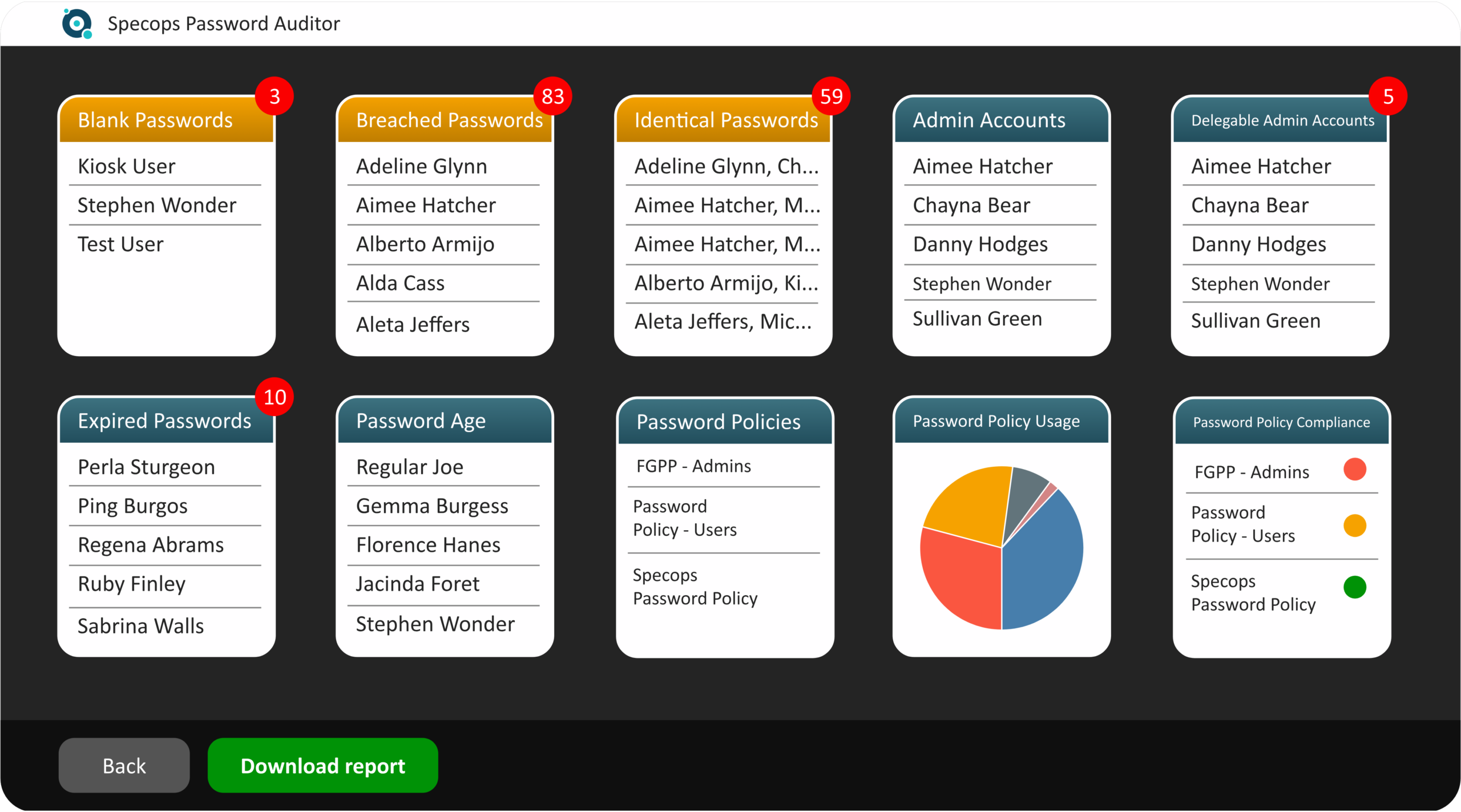
Typical findings include:
- Accounts currently protected by passwords already present in breach datasets
- Enabled users that haven’t logged in for months (often forgotten but still exploitable)
- Privileged identities with weak lifecycle controls (expired or poorly managed credentials)
- Users sharing the same password across multiple accounts
- Risky configurations such as passwords that never expire
- Gaps between the current password policy and common standards (such as NIST and European best-practice references)
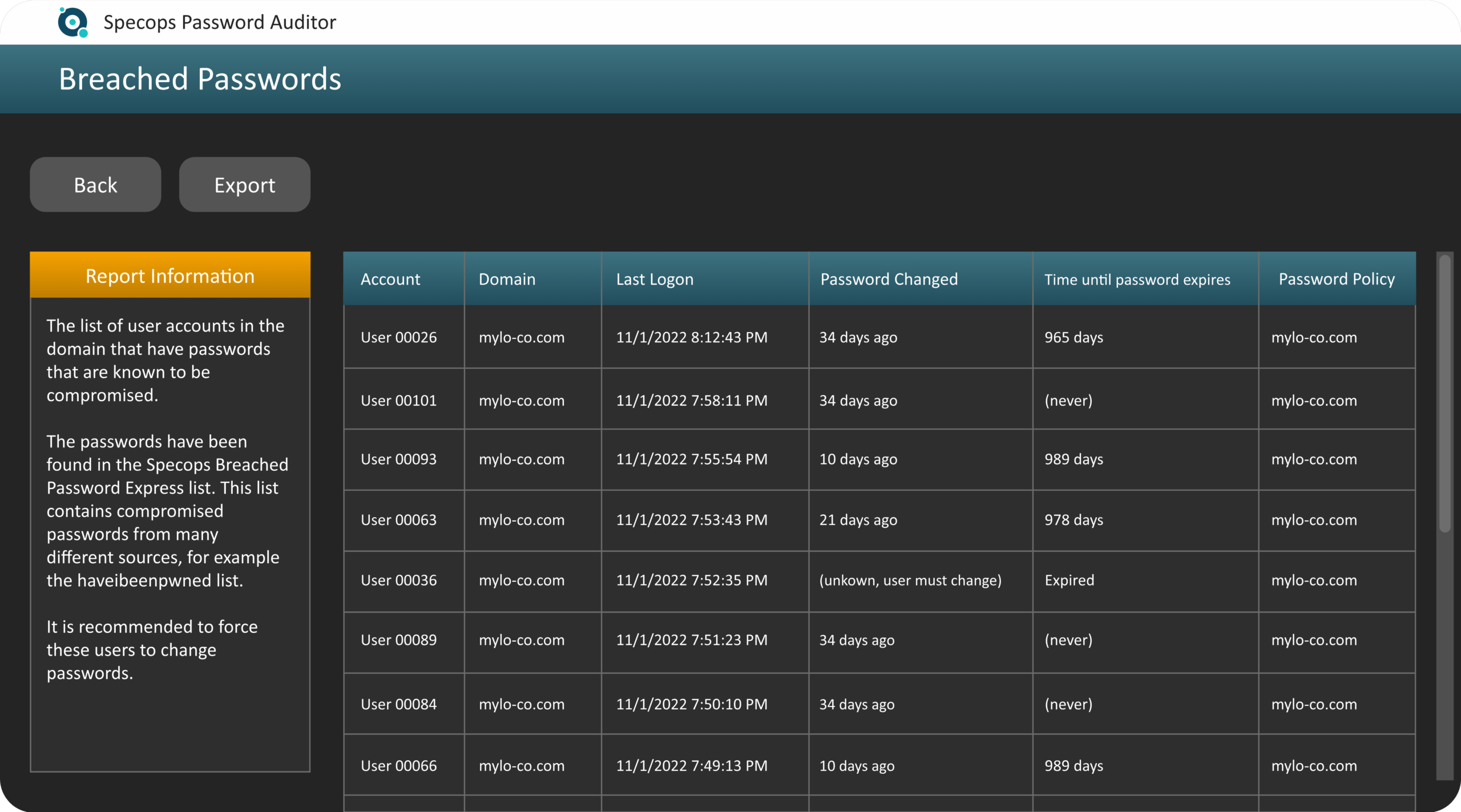
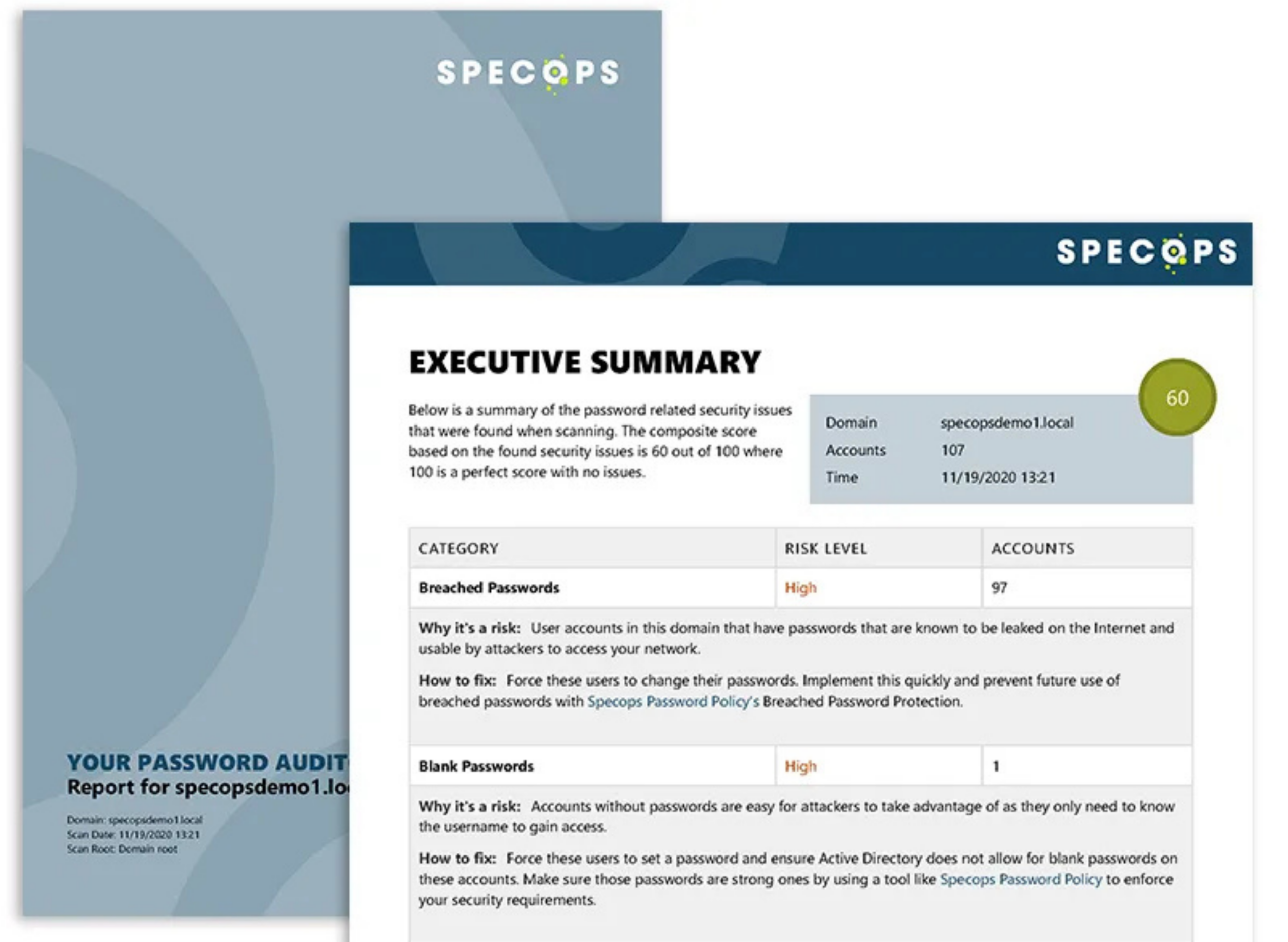
The result is a management-ready PDF report that quantifies the problem using concrete metrics. In many cases, a single data point, such as the percentage of users relying on known-compromised passwords, is enough to demonstrate that password policy compliance does not automatically equal password security.
Step 2: Prevent Compromised Passwords with Specops Password Policy
While Active Directory can enforce basic password formatting rules, it has a major blind spot: it cannot natively prevent users from choosing passwords that are already known to attackers. That’s where Specops Password Policy delivers a meaningful security uplift, particularly through its Breached Password Protection capability.
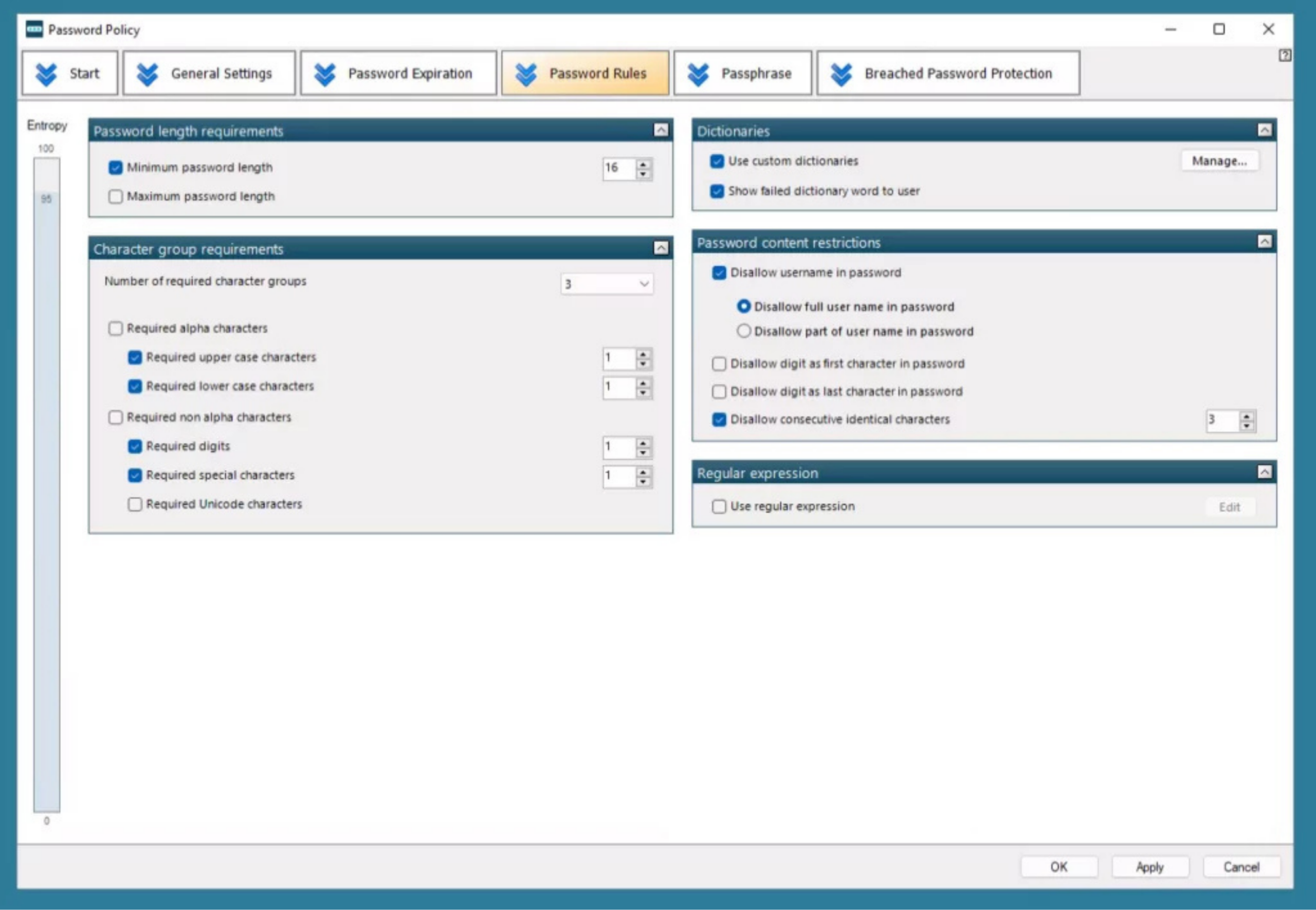
Instead of relying on static complexity rules, Specops Password Policy enables organizations to build fine-grained password and passphrase policies with much more control over what is acceptable and what is not. The platform also integrates with a continuously updated dataset of more than 5 billion compromised passwords, enriched from sources such as Have I Been Pwned and additional threat intelligence feeds.
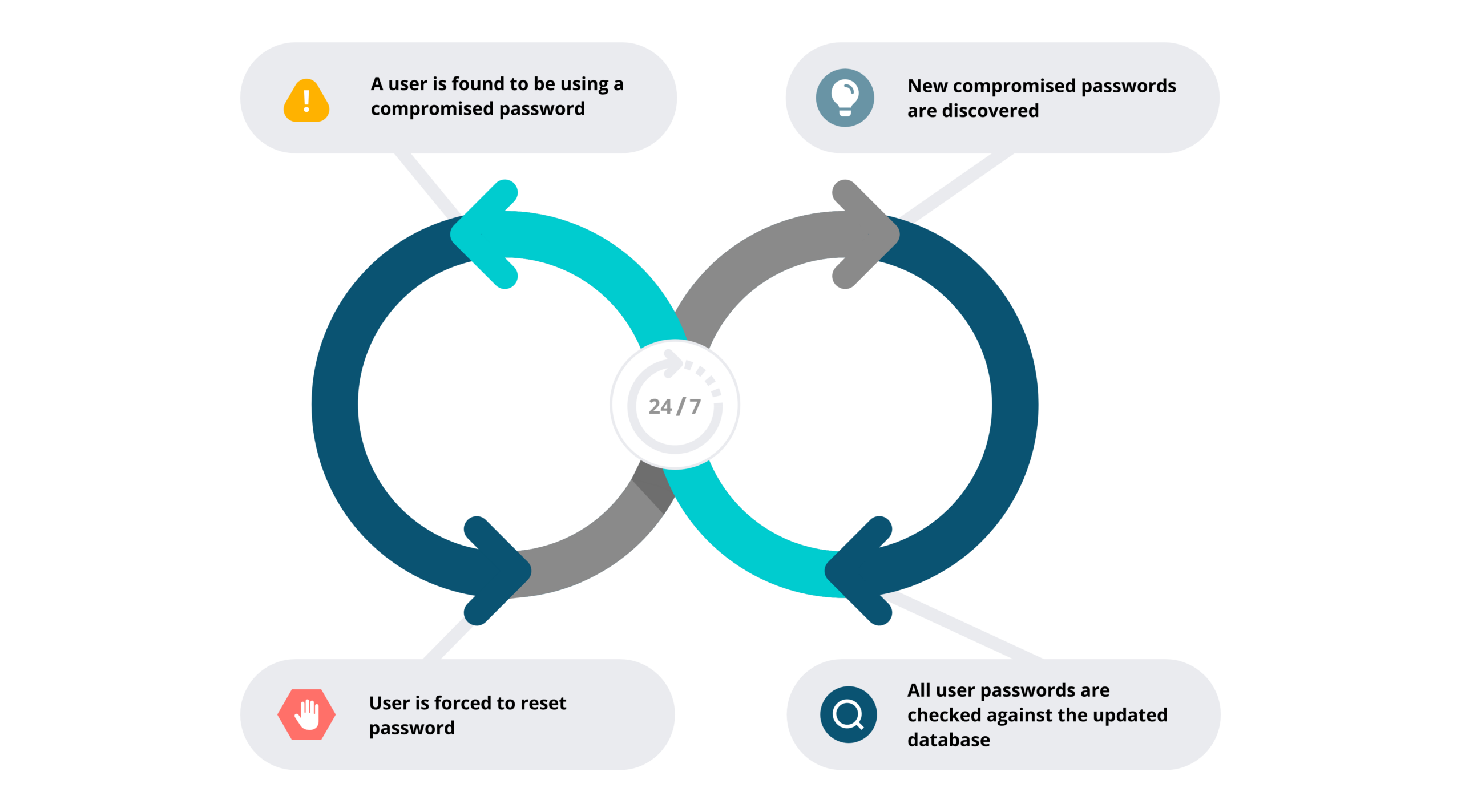
The approach is proactive. The directory is periodically assessed to identify risky credentials, and if a user’s password is found to match a compromised value, remediation can be triggered automatically, typically by notifying the user and enforcing a password change workflow.
Beyond standard requirements, policies can include advanced constraints such as:
- Custom deny lists (for example the company name, internal project names, or known variations)
- Blocking passwords with repeated consecutive characters
- Preventing incremental patterns (e.g., Password1, Password2, Password3)
- Using multiple expiration tiers, where stronger passwords remain valid longer unless later identified in a breach dataset
- Enforcing passphrase rules with regular expressions (word count, separators, formatting constraints, etc.)
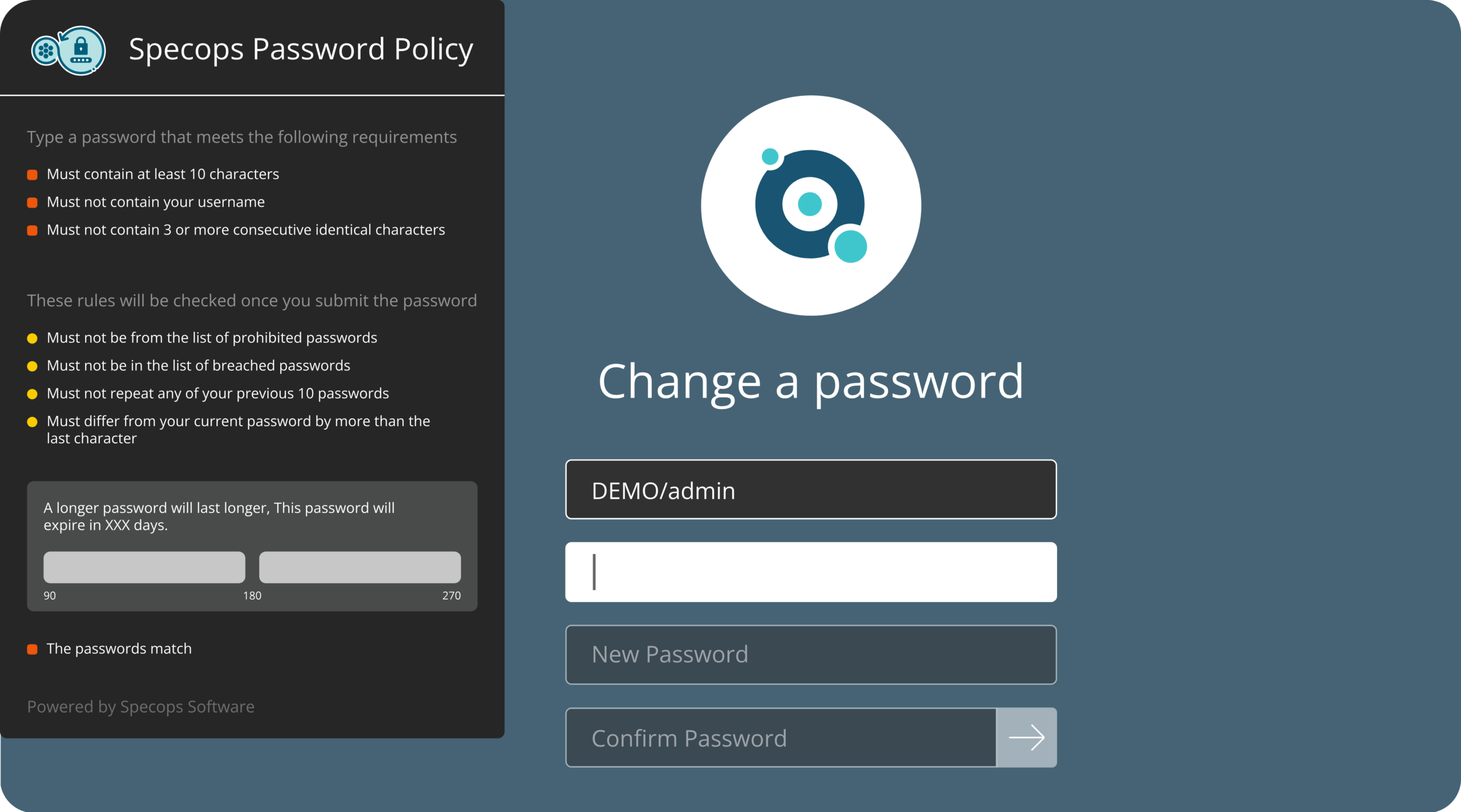
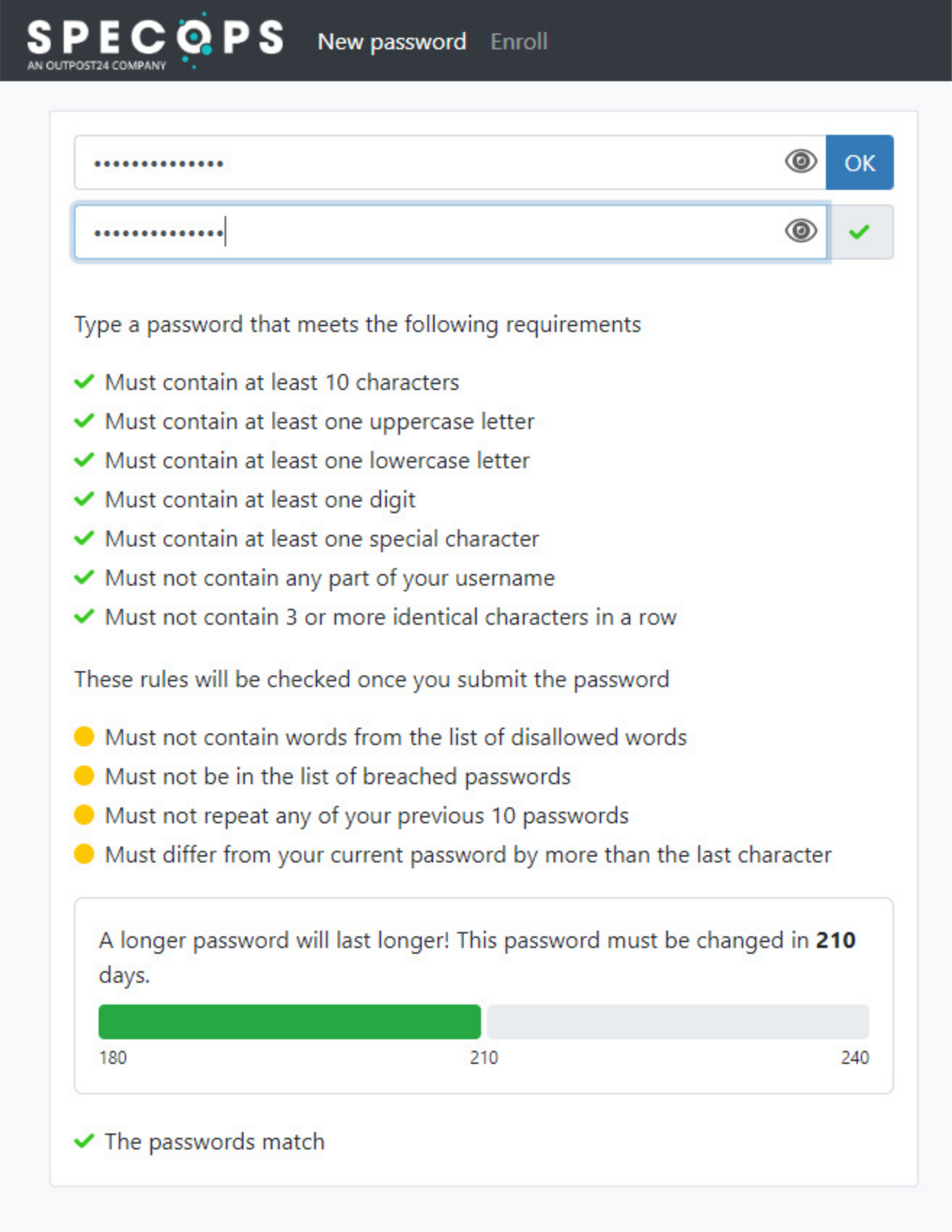
On endpoints, a client-side agent improves the user experience by providing clear, real-time feedback during password changes, explaining exactly why a password is rejected and what requirements still need to be met. This reduces friction while making strong password enforcement practical at scale.
Step 3: Strengthen High-Risk Authentication Paths with Specops Secure Access
As long as password-based authentication remains in place, password quality still matters, but in 2026, that’s only half of the equation. Multi-factor authentication (MFA) is no longer optional for protecting enterprise identities. The challenge is that on-prem Active Directory does not provide native MFA enforcement, unlike Microsoft’s cloud identity stack.
Specops Secure Access addresses this gap by bringing strong authentication controls to areas that are often overlooked, yet frequently targeted during intrusions:
- Windows logon: adding protection to interactive sign-ins on workstations and/or servers
- Remote Desktop (RDP): preventing privileged access to sensitive systems without a second factor
- VPN authentication: supported via NPS (RADIUS) in the current implementation
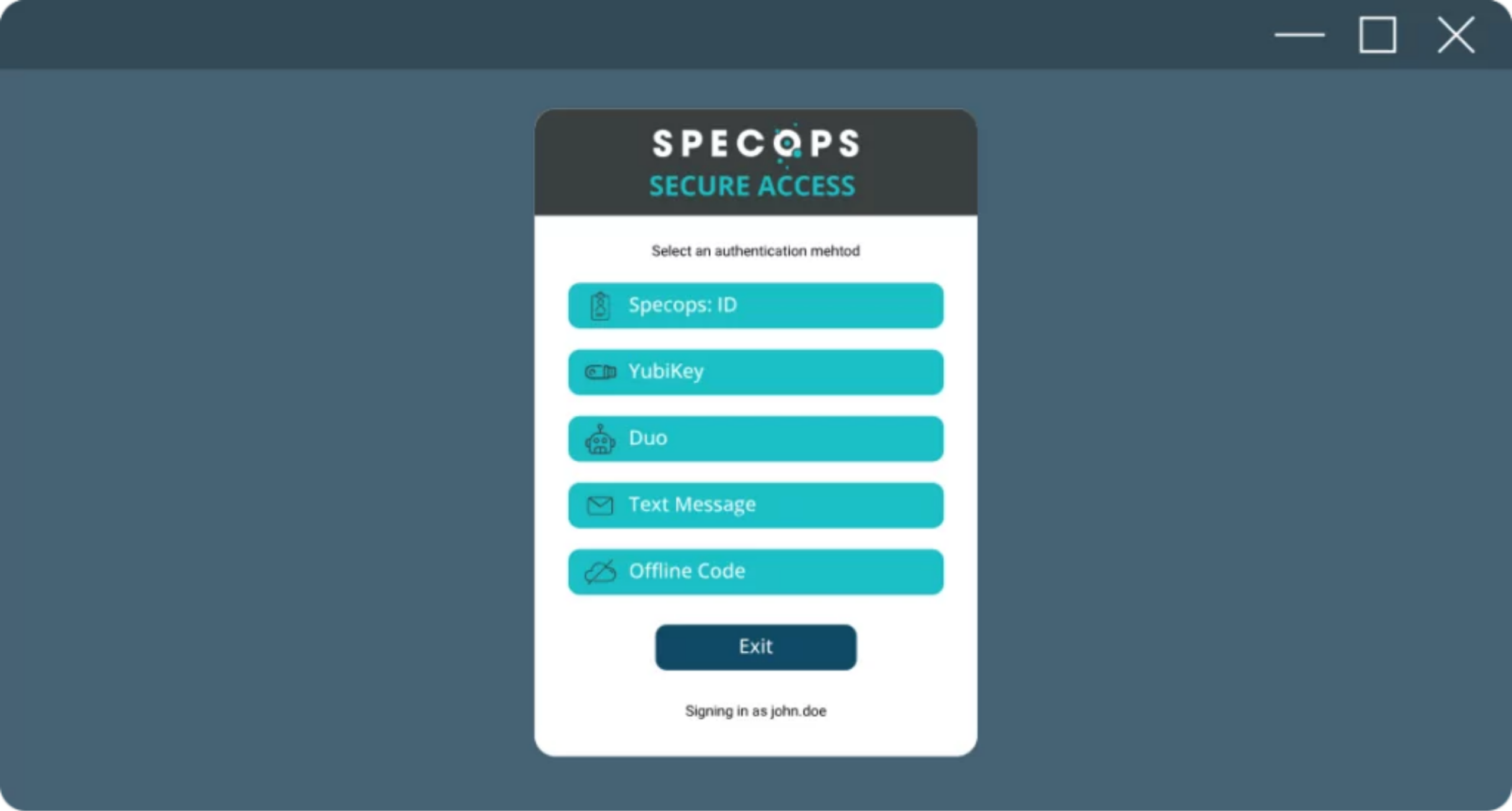
For the second factor, multiple authentication methods can be used depending on the risk level and the organization’s constraints, including:
- SMS-based verification (available but generally discouraged)
- Time-based one-time passwords (TOTP) via authenticator apps (Specops ID, Microsoft Authenticator, etc.)
- Hardware security keys such as YubiKey
- Biometric authentication, including fingerprint or facial recognition through the Specops ID mobile app (for example, Face ID on iPhone)
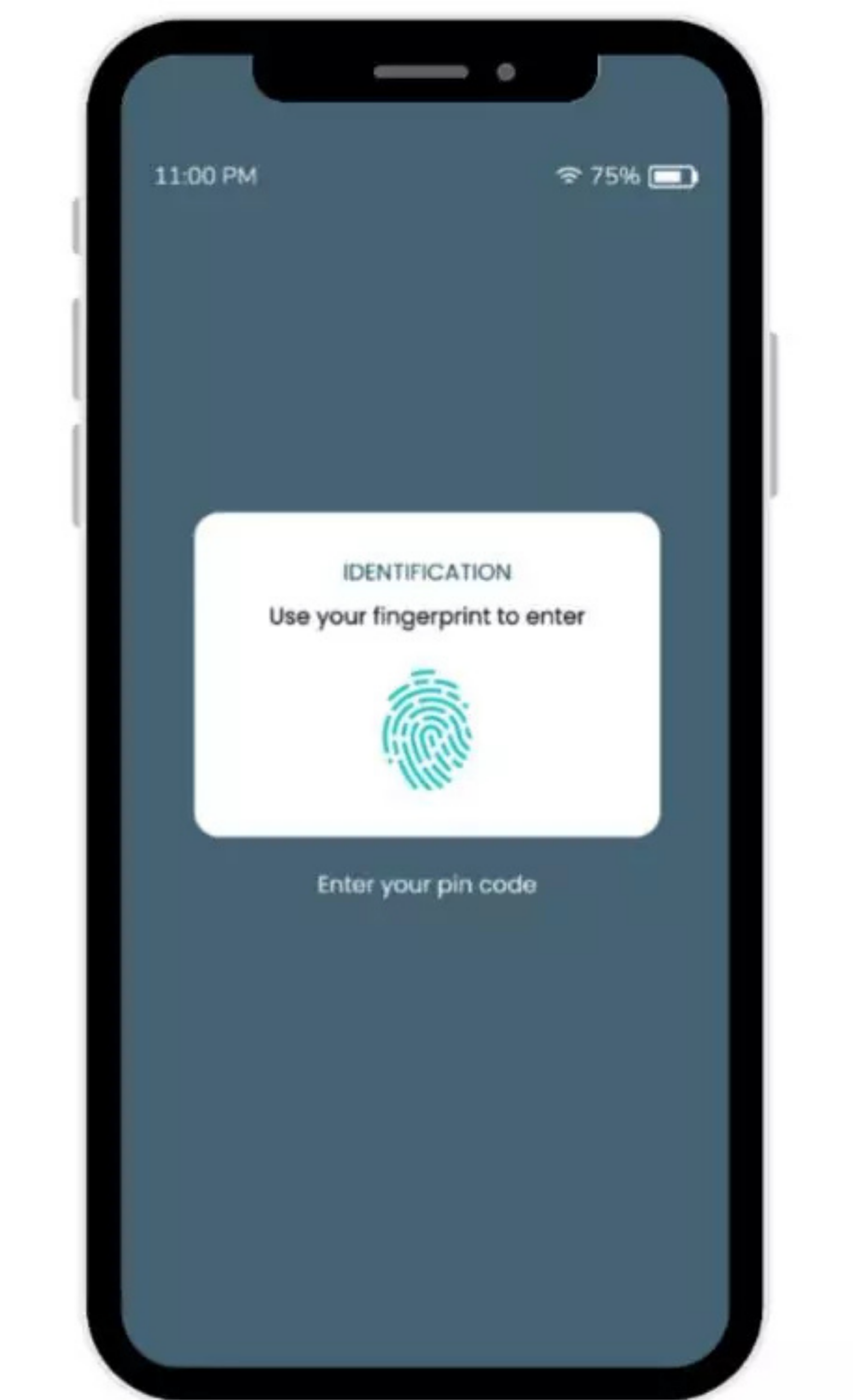
This approach extends MFA beyond cloud applications and helps secure the entry points attackers most commonly exploit to escalate access inside an AD-driven environment.
Step 4: Reduce Helpdesk Load with Specops uReset
Raising the security bar often comes with a predictable side effect: more support tickets. Stronger password requirements, stricter policies, and MFA adoption can quickly translate into the same recurring issue: “I’m locked out” or “I forgot my password.”
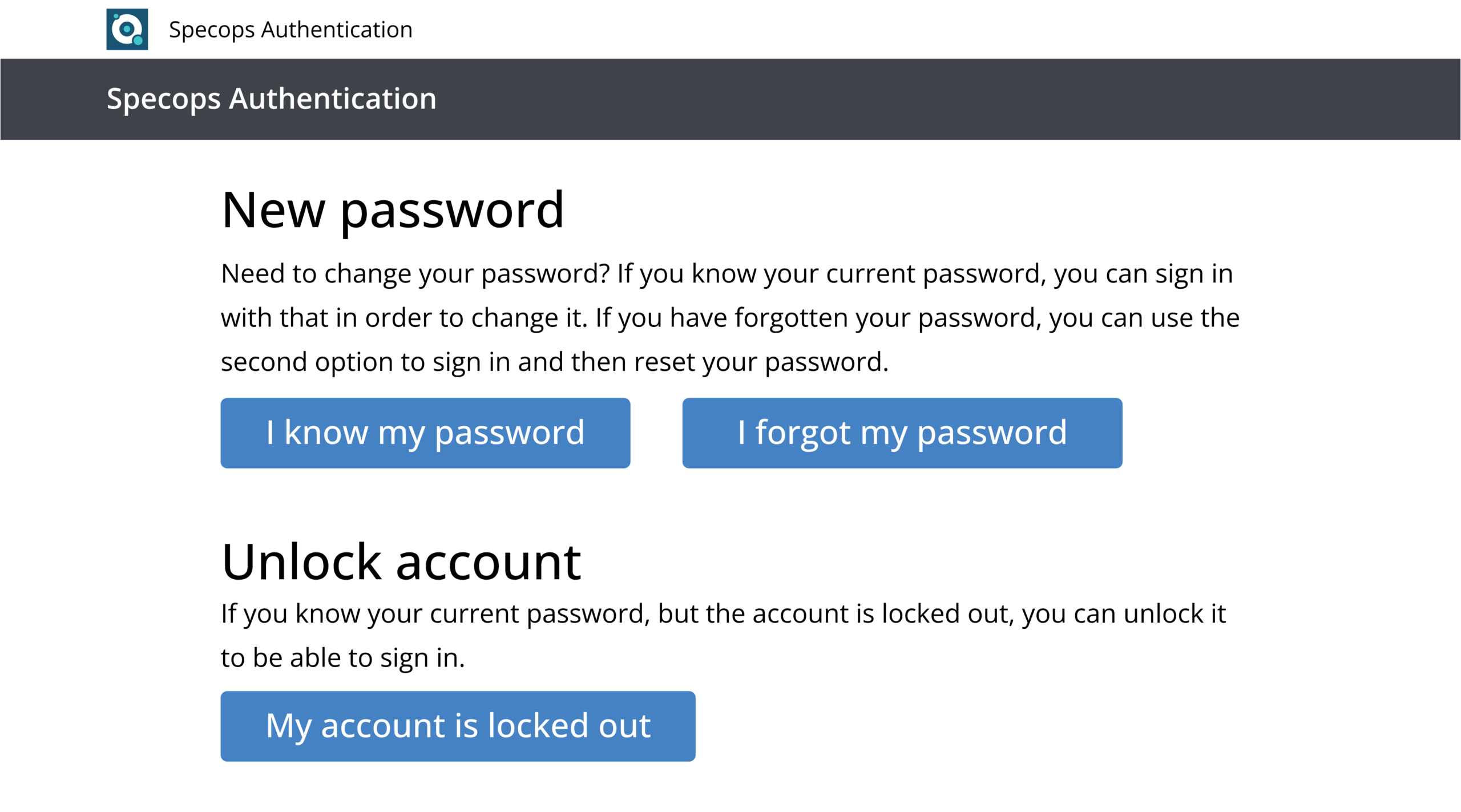
To prevent IT teams from becoming the bottleneck, Specops uReset provides a practical solution through self-service password reset (SSPR).
With uReset, users can reset their credentials through a web-based portal, and more importantly, directly from the Windows logon screen, whether they are in the office or working remotely. This is significant, as many SSPR solutions still assume users can access another workstation or an internal network resource to recover access.
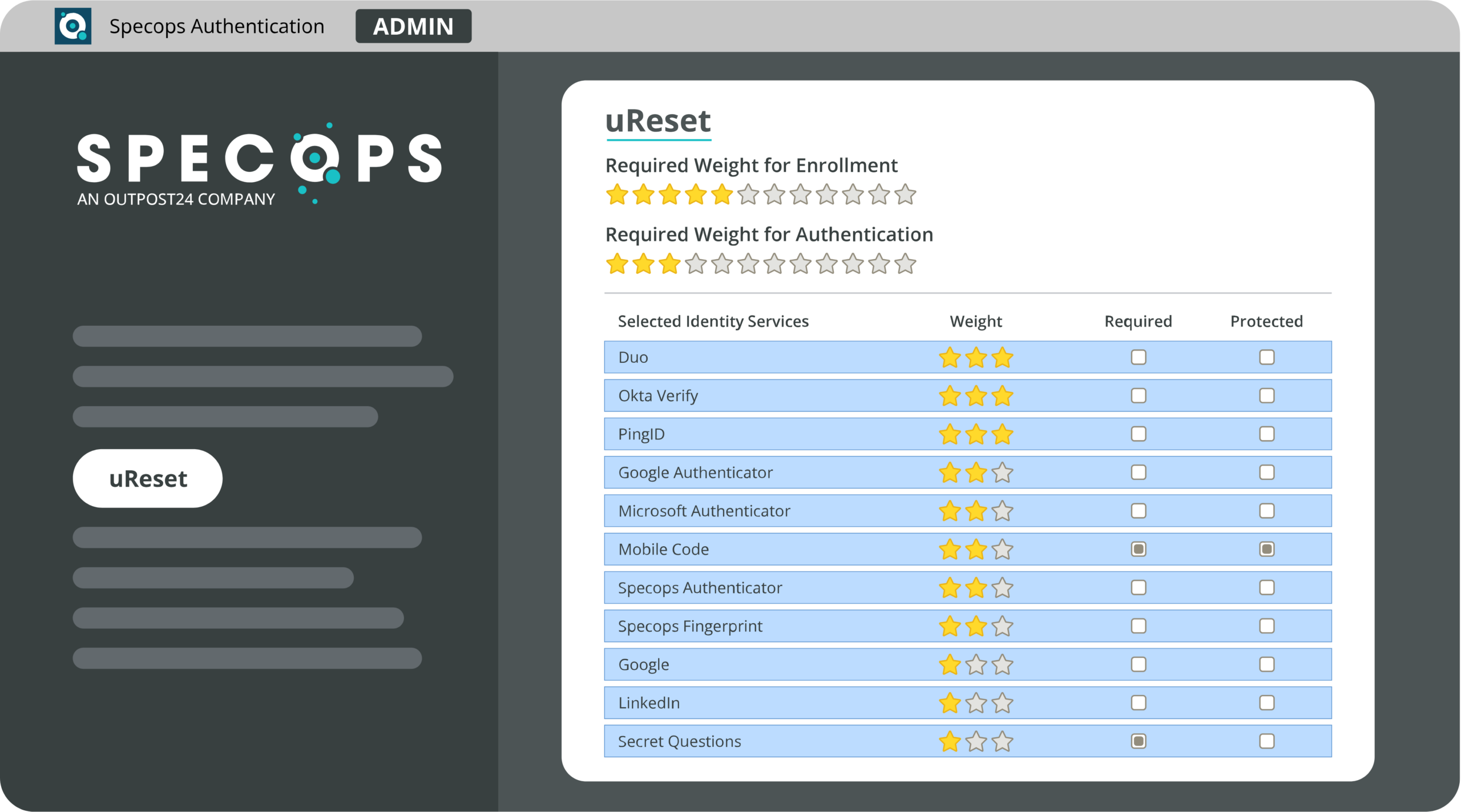
Identity verification can be enforced using multiple methods, such as:
- Mobile-based approval flows
- Fingerprint / biometric validation
- SMS codes
- Federated identity confirmation
- Security questions (where applicable)
This enables users to unlock accounts and regain access independently, any time, without waiting for the helpdesk, while maintaining strong verification controls.
Conclusion
Password-related threats haven’t fundamentally changed in years, and neither have the native controls built into Active Directory. While Microsoft has introduced several security improvements across its ecosystem, these efforts have not significantly strengthened how user passwords are protected in traditional on-prem AD environments. One of the most recent notable additions is the introduction of delegated Managed Service Accounts (dMSA) in Windows Server 2025, aimed primarily at improving service account security.
As shown throughout this article, dedicated solutions can meaningfully improve the protection of Active Directory identities without creating heavy friction for end users.
To get started, a simple first step is to run an assessment with Specops Password Auditor. It’s free, takes only a few minutes, and can be executed directly from any domain-joined workstation to quickly identify password-related risk across the directory.