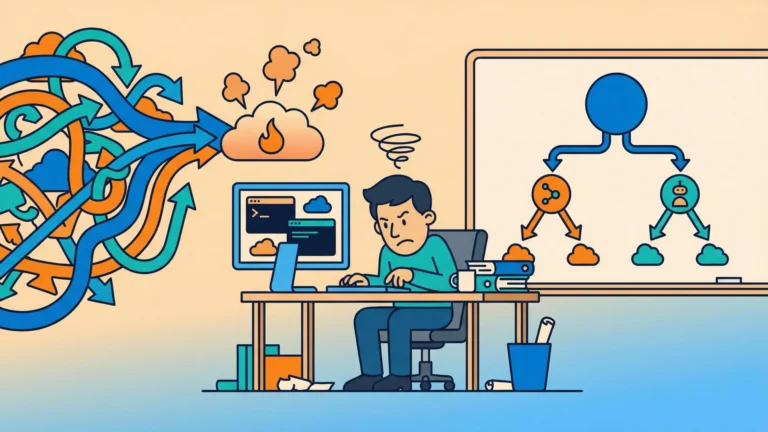


You built a single agent. It worked great in the demo. Then you gave it a real-world task—process incoming customer contracts, verify against policy databases, flag discrepancies, and route to the right review queue—and the wheels came off. The system prompt turned into a 4,000-token novel. The model started ignoring the third bullet point. Hallucinations crept in. Your “agent” became the world’s most expensive if-else chain.
Here’s the uncomfortable truth about single-agent AI systems: they don’t fail because the model is bad. They fail because you’re asking one worker to hold an entire workflow in their head while simultaneously being an expert in contract law, policy compliance, document classification, and routing logic. No amount of prompt engineering fixes that.
This is where multiagent systems come in—and where Azure AI Foundry, Microsoft’s unified platform for building and deploying AI applications, gives you a structured way to build them for production. Not the playground, not the demo, not the proof of concept. Production. This post covers the architectural decisions, orchestration patterns, and production engineering concerns you need to get there.
Why Single Agents Hit a Wall
Single-agent systems suffer from what researchers call context pollution. When your system prompt tries to encode the behavior of a contract specialist, a compliance checker, a document router, and a summarizer simultaneously, you’re not building an expert—you’re building an overloaded generalist who forgets things.
The Azure AI Foundry Agent Service REST API documentation defines agents as “cloud-hosted services that pair large language models (LLMs) with tools to read data, call functions, and execute logic on your behalf.” The operative word is “pair.” An agent performs best when its tools and context are focused on a single domain, not stretched across an entire workflow.
Context pollution isn’t just a performance problem. It’s a debugging nightmare. When a single-agent system makes a mistake, you have one massive black box to interrogate. Was it the document extraction logic? The policy verification prompt? The routing decision? You don’t know, because all three lived in the same system prompt and the same run.
The Case for Decomposition
Decomposing that workflow into specialized agents—a Document Extraction Agent, a Policy Verification Agent, a Routing Agent—changes the debugging surface entirely. Each agent has a single job. When it fails, you know exactly where to look.
This specialization also enables something single agents can’t provide: genuine parallelism. If you need to run a legal review and a fraud check on the same document, a single agent has to do them sequentially. A multiagent system can run them simultaneously, slashing the total time to response for complex operations.
The Azure AI Foundry Architecture
Before you can design a multiagent system, you need to understand the primitives you’re working with. Azure AI Foundry organizes its agent capabilities into a managed runtime called Foundry Agent Service, and it’s worth understanding what that service actually manages on your behalf.
Core Primitives
The three building blocks of every Foundry agent system are:
-
Agent — The persistent entity. It holds the system prompt, the model assignment, and the tool configuration.
-
Thread — The conversation history, maintained across multiple interactions.
-
Run — The execution unit where an agent processes a thread, reasons about its contents, and decides whether to call a tool, delegate to another agent, or return a response.
This matters architecturally because threads are where state lives. When you design a multiagent workflow, you need to decide: does each agent get its own thread, or do they share one? Sequential handoffs often share a single thread because each agent needs context from what came before. Parallel agents typically get isolated threads to prevent them from interfering with each other’s reasoning.
The Microsoft Agent Framework, which unifies Semantic Kernel and AutoGen under a single SDK surface, handles much of this plumbing. But understanding that it’s happening—and why—is the difference between a system you can reason about and one you’re hoping works.
Key Insight: Foundry Agent Service manages the “heavy lifting” of thread state, tool execution, safety filtering, and identity. But it doesn’t make your architectural decisions for you. Understanding what it handles vs. what you own is essential before you commit to a design.
Choosing Your Orchestration Topology
This is the decision that shapes everything else in your system design. There are three primary orchestration topologies supported in Azure AI Foundry, and picking the wrong one for your workload will cause problems that are expensive to refactor later.
Sequential Handoff (Chain)
Sequential Handoff is the simplest pattern. Agent A completes its task and passes output to Agent B, which passes to Agent C. The entire workflow is a linear pipeline. This topology shines when each step has a strict dependency on the previous one—you can’t summarize a document before you’ve extracted its content, and you can’t verify policy compliance before you know what you’re checking. Implementation uses the handoff mechanism where an agent’s completion triggers the next agent in sequence.
The limitation is latency. Every step is gated on the previous step completing. For workflows that could benefit from parallelism but don’t have it by design, sequential chains leave performance on the table.
Dynamic Routing (Dispatcher)
Dynamic Routing introduces a central orchestrator agent that analyzes incoming requests and routes them to the appropriate specialist. This is the topology you want for customer-facing systems where the same entry point needs to handle wildly different intent—billing questions, technical support, account changes—each requiring different expertise. In Foundry, the orchestrator uses Connected Agents as its routing mechanism, calling sub-agents through the same interface as tool functions.
The tradeoff here is that your orchestrator becomes a critical dependency. If it misclassifies intent—routes a refund request to the technical support agent—the downstream agent will produce a confused, unhelpful response. Your orchestrator’s system prompt quality directly determines system-wide accuracy.
Concurrent Fan-Out/Fan-In
Concurrent Fan-Out/Fan-In is the topology for maximum throughput on complex tasks. The orchestrator decomposes a request into parallel sub-tasks, dispatches each to a specialist agent simultaneously, then aggregates the results. The legal review and fraud check happen at the same time. The news search, the internal wiki search, and the regulatory database query run in parallel. Results flow back to the orchestrator, which synthesizes them into a coherent response.
The complexity cost is real. You need to handle cases where sub-agents return conflicting information. You need to decide whether all agents must complete before aggregation starts, or whether you can return a partial result. And you need to make sure your aggregation logic—which is itself typically an agent—doesn’t introduce its own failure modes.
Advanced Orchestration: Magentic-One
For workflows that can’t be fully specified in advance—open-ended research tasks, dynamic problem-solving, tasks where the next step depends on what the current step discovers—the sequential and dispatcher patterns are too rigid.
Magentic-One, available through Azure AI Foundry Labs, introduces a more flexible architecture. A Manager agent (Orchestrator) coordinates a set of specialists—a Coder, a Web Surfer, a File Surfer—and maintains two simultaneous planning loops.
How the Two-Loop System Works
-
Task Ledger (outer loop) — Holds the high-level strategy: the plan, the facts established so far, and the assumptions the system is working with.
-
Progress Ledger (inner loop) — Tracks step-by-step execution. If a specialist agent fails or produces an unexpected result, the orchestrator uses this loop to detect the problem and re-plan without abandoning the outer strategy.
This two-loop architecture is what makes Magentic-One suited to tasks like “research current market rates for X, write a Python script to visualize the trend, and produce a formatted report.” The task itself determines the steps. You can’t pre-specify a rigid pipeline for work like that.
The tradeoff is that Magentic-One is harder to audit. Dynamic re-planning means the execution path isn’t deterministic—two runs of the same prompt may produce different intermediate steps. For regulated industries where you need an explicit audit trail of how a decision was reached, a more rigid topology may be required even if it’s less capable.
Connecting Agents to the World: MCP and A2A
Single agents are islands. Production multiagent systems need to connect to data sources, APIs, and each other—consistently, securely, and without building custom integrations for every connection.
Two open standards handle this in the Azure AI Foundry ecosystem.
Model Context Protocol (MCP)
The Model Context Protocol (MCP)—an open standard developed by Anthropic and now broadly adopted across the industry—creates a universal abstraction layer between AI agents and external tools. Instead of building a custom connector for each database, API, or data source, you build or connect to an MCP server. Any MCP-compliant agent can then use that server’s capabilities without bespoke integration code. Azure AI Foundry Agent Service supports remote MCP servers natively, importing their capabilities in seconds and routing calls through its enterprise security envelope.
Agent2Agent (A2A) Protocol
The Agent2Agent (A2A) protocol handles a different problem: agent-to-agent communication across different runtimes and organizations. MCP connects agents to tools. A2A connects agents to other agents—including agents built by different vendors on different frameworks. A Sales Agent in Dynamics 365 can collaborate with a Fulfillment Agent in SAP. A Foundry agent can delegate to a LangGraph agent running in a completely separate environment. A2A defines how agents discover each other, negotiate tasks, pass context, and authenticate across boundaries.
The practical implication for your architecture: when you’re designing inter-agent communication within Foundry, Connected Agents handle the simple case. When you’re crossing runtime or organizational boundaries, A2A is what makes that possible without writing glue code that breaks every time either side updates.
Production Engineering: What Nobody Tells You in the Demo
The playground demo doesn’t show you what happens when your orchestrator issues a code execution request and the generated Python tries to read the host filesystem. Or what happens when five agents are running simultaneously and you can’t tell which one caused the wrong output. Or what happens when your LLM provider throttles at 3 AM and your workflow has no retry logic.
Production-ready multiagent systems require explicit answers to four engineering questions.
Secure Code Execution
When your agents generate and execute code—for data analysis, report generation, algorithmic tasks—that code runs somewhere. Running AI-generated code directly on your infrastructure is a security problem. Azure Container Apps Dynamic Sessions solves this with Hyper-V isolated sandboxes. Each execution gets its own ephemeral environment, created in milliseconds and destroyed immediately after. Nothing persists. Nothing bleeds across sessions. If the generated code does something unexpected, the damage is contained.
Identity and Access
Agents should never use API keys. They should operate as Azure Managed Identities with RBAC assignments scoped to exactly what they need. A document extraction agent should be able to read from your document storage. It should not be able to write to your database or call your payment API. That’s not being overly cautious—that’s containing the blast radius when a prompt injection attack or misconfigured system prompt causes an agent to do something you didn’t intend.
Human-in-the-Loop Gates
For high-stakes actions—executing a financial transaction, deleting data, sending external communications—your orchestration workflow should include explicit approval gates. The agent proposes the action. A human confirms. The agent executes. Foundry supports this pattern, and you should use it wherever the cost of an incorrect autonomous action exceeds the cost of a one-second human confirmation.
Observability
This is the one that will save your sanity. Debugging a non-deterministic multiagent system without tracing is an exercise in frustration. Azure AI Foundry integrates with Application Insights to provide full trace visibility:
-
Input to each agent
-
Reasoning steps and tool calls
-
Outputs and latency at every stage
-
Cross-agent request tracing via OpenTelemetry spans
You can see not just what the system produced, but how it got there. Combined with OpenTelemetry spans at agent boundaries, you can trace a request across the entire agent graph and pinpoint exactly where things went wrong.
Warning: Skipping observability instrumentation is the most common mistake in multiagent system deployments. You will not be able to debug production issues without it. Instrument everything before you go live, not after your first incident.
Scaling and Reliability
When your multiagent system gets traffic, you need the infrastructure underneath it to scale without you managing it. Azure Container Apps is the recommended hosting layer for agent logic and orchestrators, and it handles this well. Scale-to-zero means you’re not paying for idle compute. KEDA (Kubernetes-based Event Driven Autoscaling)-based autoscaling means your system expands in response to actual demand—queue depth, HTTP request rate, or custom metrics—rather than calendar-based guesswork.
Handling Long-Running Workflows
For long-running workflows—and multiagent systems often have them—synchronous HTTP patterns break down. A user sends a request, your orchestrator starts spinning up agents, and 90 seconds later the HTTP connection times out. The solution is asynchronous decoupling:
-
Put incoming requests on an Azure Storage Queue or Event Grid topic
-
Your orchestrator picks them up and runs the workflow
-
Results write back to a storage location the client can poll or receive via webhook
The user experience stays responsive. Your agent workflow runs to completion regardless of client connection state.
Designing for Partial Failure
The other reliability concern specific to multiagent systems is partial failure. What happens when Agent B fails halfway through a sequential chain? Does the whole workflow restart from the beginning? Do you checkpoint state after each agent completes? Foundry’s thread model helps here—threads persist—but you still need to design your workflows to be resumable, not just re-runnable from scratch. Treating prompts as code (version-controlled, tested, deployed via CI/CD) and implementing exponential backoff on API calls are both table stakes for production reliability.
Migrating from Single-Agent to Multi-Agent
You don’t have to rebuild everything at once. The most pragmatic migration path is incremental decomposition: identify the part of your existing single-agent system that’s causing the most problems, extract it into a dedicated agent, and connect them with a handoff.
Start with whatever is making your system prompt longest. If you have 800 tokens dedicated to document extraction instructions, that’s your first extraction candidate. Replace those 800 tokens in the orchestrator’s system prompt with a ConnectedAgentTool call to a dedicated Document Extraction Agent. Your orchestrator gets simpler. The specialist gets better because its entire context is about document extraction, not about everything else simultaneously.
Repeat this for each domain of expertise embedded in your single agent. Over several iterations, your monolithic agent becomes an orchestrator, and your specialists become focused, testable, independently-deployable components. The architecture evolves rather than requiring a full rebuild.
Making the Topology Decision
The right topology depends on your workload characteristics, not on which pattern sounds most sophisticated. Here’s how to think through the decision:
| Characteristic | Best Topology | Why |
|---|---|---|
| Steps have strict dependencies | Sequential Chain | Ensures order without complexity overhead |
| Diverse user intents, single entry point | Dynamic Dispatcher | Classifies and routes without exposing backend complexity |
| Independent sub-tasks that can run simultaneously | Fan-Out/Fan-In | Reduces total latency for parallel workloads |
| Open-ended tasks where steps aren’t known in advance | Magentic-One | Dynamic re-planning handles unknown problem shapes |
| High-stakes, regulated decision paths | Sequential Chain + human gates | Auditability and control outweigh throughput |
If you’re not sure where to start: build a sequential chain first. It’s the most debuggable topology, the easiest to reason about, and the simplest to extend. Add parallelism and dynamic routing when you have evidence that the sequential version is the bottleneck—not before.
Pro Tip: The Connected Agents mechanism in Foundry lets your orchestrator call sub-agents as tool functions. This means you can prototype with a single agent that calls tools, then later promote those tools to full agents without restructuring your orchestrator’s architecture.
What Production-Ready Actually Means
“Production-ready” in multiagent AI systems isn’t a finish line—it’s a set of properties your system has to maintain continuously.
A production-ready multiagent system checks all of these boxes:
-
Agents operate on Managed Identities with least-privilege RBAC
-
Code execution runs in isolated Dynamic Sessions
-
Orchestration is fully traced with Application Insights integrated
-
Prompts live in version control, deployed via CI/CD, tested against golden datasets for drift
-
Workflows include human approval gates for high-stakes actions
-
Infrastructure scales automatically without manual intervention when traffic spikes
None of these are features you bolt on after launch. They’re architectural decisions you make before you write the first line of orchestration code.
Azure AI Foundry provides the platform primitives to implement all of them. The specialization model—isolated agents with focused contexts—makes your system more reliable, more debuggable, and more adaptable as your requirements evolve. The MCP and A2A protocols mean your system isn’t trapped in a single vendor ecosystem. The managed runtime means you’re not operating infrastructure; you’re operating workflows.
The single agent that worked in the demo was fine for what it was. The production system that needs to handle real volume, real failure modes, and real regulatory requirements is a different problem. Multiagent architecture is how you solve it.