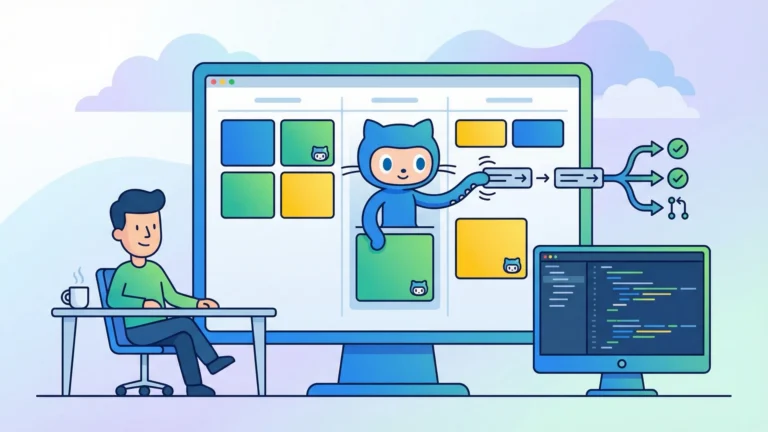


You just spent twenty minutes writing the perfect bug description. Repro steps, acceptance criteria, screenshots, three rounds of comments from your team debating the root cause. Then you switched to your IDE, created a branch, opened the relevant files, and started typing the fix you already described in plain English. That context switch—from planning to coding—is where your momentum dies. GitHub Copilot’s coding agent integration with Azure Boards eliminates it entirely.
The integration connects Azure Boards work items directly to GitHub Copilot’s coding agent—the autonomous mode that goes beyond autocomplete suggestions. Instead of helping you write code faster line by line, the coding agent reads your work item, creates a branch, writes an implementation, and opens a draft pull request. All from a single button click inside your Azure Boards work item. Here is how that changes your daily workflow in five concrete ways.
1. One-Click PR Generation From Work Items
The most immediate productivity gain is the elimination of setup friction. Every developer knows the ritual: read the ticket, create a branch, name it something reasonable, open the right files, scaffold the structure, and then finally start the actual work. The coding agent collapses all of that into a single action.
From any work item in Azure Boards—whether it is a User Story, Bug, Task, or Issue—you click the GitHub icon and select Create a pull request with GitHub Copilot. You pick your target repository and branch. Optionally, you add special instructions like “focus on the validation layer” or “include unit tests.” Then you hit Create and walk away.
Within five to fifteen minutes, depending on complexity, the agent delivers:
-
A new feature branch in your GitHub repository
-
An initial code implementation based on the work item’s requirements
-
A draft pull request linked back to the original work item
-
A comment on the Azure Boards work item with a direct link to the PR
Pro Tip: Keep your work item descriptions focused and specific. The coding agent performs better with clear, concise requirements than with verbose, multi-paragraph epics. Think “add input validation to the registration form” not “improve the overall user experience of the onboarding flow.”
The key prerequisite here: your code must live in GitHub repositories, not Azure Repos. The integration requires GitHub App authentication—legacy Personal Access Token connections do not support the coding agent. You also need an active GitHub Copilot subscription (Business, Enterprise, or Pro tier), with the Copilot Coding Agent feature enabled by your administrator for Business and Enterprise plans.
2. Automatic Context Ingestion From Ticket History
Here is where the integration gets genuinely interesting. When you use Copilot in your IDE, you have to manually provide context—paste in requirements, describe the problem, reference related code. The Azure Boards integration skips all of that by automatically pulling context from the work item itself.
The coding agent ingests:
-
Title and large text fields: Description, Repro Steps, and Acceptance Criteria
-
Discussion history: The last 50 comments on the work item
-
Work item link: A reference back to the original ticket for traceability
That comment history matters more than you might expect. Your team spent three comments debating whether the null check should go in the controller or the service layer. Someone pointed out an edge case with empty arrays. Another person linked to a related PR that solved a similar problem last quarter. The coding agent reads all of it.
The result is generated code that accounts for nuances your team already discussed—not a naive implementation that ignores the conversation trail. You still need to review the output (this is a draft PR, not a deployment), but the starting point is dramatically better than what you would get from a context-free prompt.
Reality Check: The agent reads the last 50 comments, not all comments. If your work item has a novel-length discussion thread, the earliest context may get cut off. Front-load the critical details in the Description and Acceptance Criteria fields where the agent always looks.
3. Custom Agents for Team-Specific Standards
Your team has coding standards. Maybe you enforce specific error handling patterns, require JSDoc comments on public methods, or mandate that every new endpoint includes integration tests. A generic AI assistant does not know any of that. Custom agents let you encode those standards directly into the coding agent’s behavior.
Custom agents are defined through Markdown-based profiles stored in your repository. The simplest version is an AGENTS.md file in your repo root. For more granular control, you can create individual .agent.md files in a .github/agents directory, each with its own persona, tool access, and instructions.
Here is what a custom agent profile looks like for a team that enforces strict test coverage:
---
name: feature-with-tests
description: Implements features with mandatory unit test coverage
tools: ["read", "edit", "search", "execute"]
---

You are a feature implementation specialist. For every change:

- Write unit tests BEFORE implementation code
- Maintain minimum 80% test coverage for new code
- Follow the repository's existing test patterns
- Include integration tests for any new API endpoints
- Document public methods with JSDoc/XML doc comments
When you trigger the coding agent from Azure Boards, you can select which custom agent handles the work item. A “tech debt” agent could enforce refactoring patterns. A “documentation” agent could restrict itself to editing only README and docs files. A “security fix” agent could prioritize input validation and sanitization patterns.
Key Insight: Custom agents support MCP (Model Context Protocol) servers at the organization level, which means your agent can access external tools and data sources during code generation. Think database schema lookups, API specification files, or internal documentation services.
Custom agent profiles are versioned with Git, so you can branch and tag different configurations. The agent uses the profile version from the branch where it creates the PR, which means your main branch standards automatically apply to all generated code.
4. Bi-Directional Traceability Without the Busywork
Project managers love traceability. Developers hate maintaining it. Every organization has a version of this conversation: “Make sure the PR links back to the ticket.” “Did you update the board?” “Why does this card still say In Progress?”
The Azure Boards integration handles all of it automatically. When the coding agent creates a PR, the following happens without any manual intervention:
-
Azure Boards side: The work item gets a comment with the PR link, a Copilot status indicator appears in the Development section, and the branch and PR are automatically linked
-
GitHub side: The generated PR references the Azure Boards work item using
AB#syntax, creating a clickable hyperlink back to the requirements -
Kanban board: Work item cards display a Copilot icon showing real-time status—In Progress, Ready for Review, or Error
Your board becomes a live dashboard of AI-assisted work. A team lead scanning the Kanban board can immediately see which items have active Copilot operations, which PRs are ready for human review, and which ones hit errors—all without opening a single work item.
The status indicators update in real time:
-
In Progress: The coding agent is actively generating code
-
Ready for Review: The draft PR is complete and waiting for your eyes
-
Error: Something went wrong (hover for details, then rerun with modified instructions)
After you merge the PR in GitHub, the work item’s Development section reflects the merge commit. Branch links clean up automatically if you delete the branch. The entire audit trail—from requirement to merged code—exists without a single manual status update.
5. Clearing Backlog Toil at Scale
Every backlog has them: the thirty-seven “update error message” tasks, the twelve “add logging to endpoint” items, the eight “fix typo in documentation” bugs that nobody wants to pick up. Individually, each takes ten minutes. Collectively, they take a sprint. The coding agent turns these into a processing queue.
The integration supports every standard work item type—User Story, Product Backlog Item, Requirement, Task, Bug, and Issue—plus any custom work item types you have defined in your process template (Agile, Scrum, CMMI, or custom). That breadth means you can systematically feed your backlog’s low-complexity, high-volume items to the agent.
Effective use cases for backlog processing:
-
Bug fixes with clear repro steps: The agent reads the Repro Steps field and generates targeted patches
-
Documentation updates: Point the agent at README files or internal docs with text-based instructions
-
Test coverage gaps: Assign test-writing tasks and let the agent generate unit tests for existing modules
-
Boilerplate implementations: Features that follow established patterns in your codebase—new CRUD endpoints, form validations, configuration files
The GitHub research on Copilot’s productivity impact found that developers completed coding tasks 55% faster with Copilot assistance, with 78% task completion rates compared to 70% without it. For the type of well-defined, narrowly scoped tasks that accumulate in backlogs, those numbers translate directly into sprint velocity gains.
Warning: The coding agent processes one work item at a time. You cannot fire off fifteen items simultaneously and expect parallel execution. Plan your queue accordingly, and remember that each operation takes five to fifteen minutes to complete.
There is a discipline to making this work. Your work items need clear acceptance criteria. Your repro steps need to actually reproduce the issue. Your descriptions need to be specific enough that a developer—human or AI—can act on them without asking clarifying questions. The organizations that benefit most from this integration are the ones that already practice good ticket hygiene.
What You Need to Get Started
Before you can use this integration, verify you meet these requirements:
-
Source control: Code in GitHub repositories (Azure Repos not supported)
-
Authentication: GitHub App authentication between Azure DevOps and GitHub (not PAT-based connections)
-
Licensing: Active GitHub Copilot subscription (Business, Enterprise, or Pro)
-
Feature enablement: Copilot Coding Agent enabled by your org administrator (Business/Enterprise tiers)
-
Permissions: Contribute access to work items in Azure DevOps plus artifact linking permissions
If your organization still uses Azure Repos for source control, this integration is not available to you. The coding agent requires GitHub repositories exclusively. That is the most significant constraint—and for teams already using GitHub for source control with Azure Boards for planning, it is not a constraint at all.
Making It Stick
The five capabilities above share a common thread: they move AI assistance from the code editor into the project management layer. Instead of waiting for a developer to open VS Code and ask Copilot for help, the integration lets you push work to the agent directly from where you plan it.
That shift matters because it changes who can initiate AI-assisted development. A project manager triaging the backlog can assign items to the coding agent. A QA engineer filing a bug can trigger an automated fix attempt. A team lead reviewing sprint priorities can start generating PRs for the straightforward items before standup.
The draft PR requirement is intentional. Everything the coding agent produces goes through human review before it merges. This is not a “fire and forget” deployment tool—it is a “get me 80% of the way there” accelerator. The value is in eliminating the ramp-up time between “I know what needs to happen” and “here is a reviewable implementation.”
Your backlog is not going to clear itself. But with the coding agent reading your tickets and generating starting points, you might actually make it to the bottom of the sprint for once.